Back to all articles
Setup
IPTV on Mac (2026): Best Apps for macOS Apple Silicon & Intel
· 4 min read
1. macOS is great for IPTV — and most people don't realise it
Apple Silicon Macs (M1, M2, M3, M4) decode 4K HEVC and AV1 in dedicated hardware on the GPU, drawing barely any power. A MacBook Air running IPTV all day uses less than a Firestick. Plug it into a 4K display via USB-C or HDMI and you have a higher-quality IPTV setup than most dedicated streaming boxes.
2. Best IPTV apps on macOS in 2026
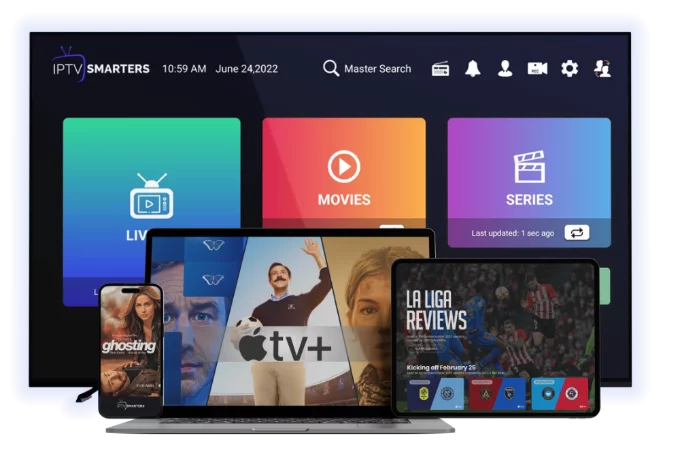
1. IPTV Smarters Pro (free, Mac App Store)
— the daily driver- Full Xtream Codes API support
- Built-in EPG, VOD, series
- Native Apple Silicon build (no Rosetta)
- Same UX as iOS / Apple TV / Android versions
2. GSE Smart IPTV (free / paid pro version)
— the veteran- Around since the early IPTV days
- M3U + Xtream Codes
- More configuration options than Smarters
- Pro version removes ads and unlocks recording
3. iina (free, open source)
— the prettiest player- Built on top of mpv, native macOS UI
- Plays M3U URLs beautifully
- No EPG, no IPTV-specific features
- Best for: occasional viewers who care about picture quality
4. VLC for Mac (free)
— universal player- Same as Windows — open M3U URL, play
- No EPG or VOD organisation
- Best for: testing streams, troubleshooting
5. Kodi for Mac (free)
— power-user setup- Install PVR IPTV Simple Client add-on
- Combine IPTV with Plex, local films, music
- Heavier setup but most flexible
3. Quick start with IPTV Smarters Pro (90 seconds)
1. Open Mac App Store → search IPTV Smarters Pro → install
2. Launch → Add New User
3. Choose Xtream Codes API
4. Enter:
- Any name (label)
- Server URL: `http://server.tld:port`
- Username + Password
5. Save → channels load in 30–60 seconds
6. EPG and VOD populate over the next minute
4. Apple Silicon hardware decoding — auto-on
Unlike Windows, you don't need to enable anything. Apple Silicon's media engine handles H.264, HEVC and AV1 automatically. Mac mini M2 can decode 4K HEVC at 60fps using ~3% of total system power.
If you're on Intel Mac (2019 or older), check your Mac model:
- 2018+ Intel Mac: full HEVC hardware decode
- 2017 or older: software HEVC, may stutter on 4K
5. iina — the best-looking IPTV experience on Mac
For one-off channel viewing without IPTV-app overhead:
1. Download iina from `iina.io`
2. Drag and drop an M3U URL into the iina window — or
3. iina → File → Open URL → paste an individual stream URL
4. Native macOS controls, picture-in-picture support, AirPlay built in
iina won't help you organise 5,000 channels but it's perfect for "I want to watch BBC One while working".
6. VLC for Mac — quick stream testing
1. Install VLC from `videolan.org`
2. File → Open Network
3. Paste M3U URL
4. Channels appear in playlist (Window → Playlist)
Useful for sanity-checking that a stream URL works before troubleshooting an IPTV app.
7. AirPlay an IPTV stream to Apple TV
The hidden killer feature: any video playing in iina or VLC on a Mac can be AirPlayed to any Apple TV in your home. So if you have IPTV Smarters that doesn't AirPlay, drop the underlying stream URL into iina and AirPlay from there.
8. Picture quality settings
System Settings → Displays:
- Choose Best for display (matches native res)
- Enable High Dynamic Range if your display supports it
- Refresh rate: 60 Hz minimum for sport
Inside IPTV Smarters / iina:
- Smarters: Settings → Player Settings → Hardware Decoding = ON
- iina: Preferences → Video → use Default (auto-select)
9. Recording IPTV on Mac
- VLC: red record button (Window → Advanced Controls)
- GSE Pro: scheduled recording from EPG
- Kodi: full DVR via PVR add-on
QuickTime can also do screen recording if you want a "good enough" capture without configuring anything.
10. Multi-display setup
Plug a 4K HDMI monitor into a USB-C dock — your MacBook Pro now drives two screens. Run IPTV Smarters in fullscreen on one, work on the other. macOS handles 4K + retina concurrently with no fan ramp on Apple Silicon.
11. VPN on Mac
NordVPN, Surfshark, ExpressVPN all have native Apple Silicon Mac apps. Install, click connect, IPTV traffic is encrypted. Strongly recommended on UK / EU ISPs that throttle streaming. See [VPN with IPTV guide](/blog-details/how-to-use-vpn-with-iptv).
12. Common Mac IPTV problems
"Stream not found"
- Wrong M3U URL — re-copy from provider email
- VPN active blocking the connection — try without VPN to confirm
Black screen, audio plays
- Outdated app — check Mac App Store for updates
- Try iina or VLC with the same stream as a sanity check
App freezes after sleep
- Known issue with some IPTV players on macOS. Quit and re-open after waking the Mac.
Audio out of sync on M-series Mac
- IPTV Smarters: Settings → Player → Audio Sync → adjust ±100 ms
13. Try IPTV on Mac for free
[Start a 24-hour free trial](/free-trial) — Xtream Codes login arrives by email; works in IPTV Smarters Pro on macOS in under 2 minutes.
For other platforms see [IPTV on Windows](/blog-details/iptv-on-windows-pc), [IPTV on Apple TV](/blog-details/how-to-install-iptv-on-apple-tv) and [best IPTV players 2026](/blog-details/best-iptv-players-2026).
Frequently asked questions
IPTV Smarters Pro from the Mac App Store — native Apple Silicon, full Xtream Codes support, EPG, VOD. iina is great for casual viewing of single streams; VLC for quick stream testing.
No — Apple Silicon hardware decodes H.264, HEVC and AV1 automatically. M-series chips run 4K IPTV using minimal CPU/GPU power, with no setup required.
Yes — iina has AirPlay support built in. Drop the stream URL into iina on the Mac and send it to any Apple TV on your network. Useful if your IPTV app doesn't AirPlay directly.
Pre-2018 Intel Macs lack hardware HEVC decoding. 1080p streams play fine; 4K HEVC will stutter because the CPU does it in software. Upgrade to Apple Silicon if you want smooth 4K.
Yes — VLC has a basic record button, GSE Smart IPTV Pro has scheduled recording, Kodi with PVR add-on has full DVR. QuickTime screen recording works as a fallback.
#mac
#macos
#apple silicon
#setup